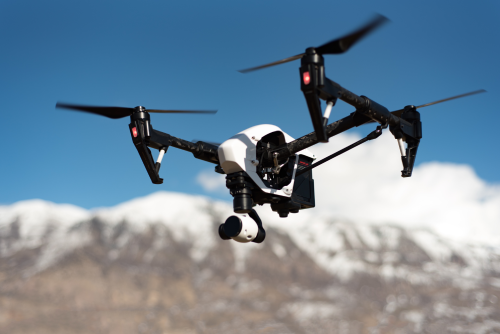
If you are searching for how to fly a drone for beginners, the good news is that your first safe flight does not need to be complicated. With the right checks, a calm practice area, and a simple routine, most beginners can learn to take off, hover, move, and land confidently in a single session.
Quick Take
- Start with a stable beginner-friendly drone, ideally one with GPS, auto-hover, low-battery alerts, and return-to-home.
- Before flying in India, verify the latest DGCA and Digital Sky requirements for your drone model, flight area, and use case.
- Practice in a large open field, in daylight, with very light wind and no crowds.
- Learn the four core controls first: throttle, yaw, pitch, and roll.
- Use beginner mode or low speed mode for your first few flights.
- Wait for a proper GPS lock and confirm the home point before takeoff.
- Keep the drone within visual line of sight, meaning you can see it directly with your own eyes.
- If you get confused, stop, hover, breathe, and use the pause or return-to-home function only if it is safe and properly set up.
Start with the right kind of drone
Your first learning experience matters more than the drone’s camera quality.
A good beginner drone should be easy to control, easy to recover, and affordable to repair if something goes wrong. For most first-time users, that means a consumer drone with strong stabilisation, or a small practice drone for basic handling.
Features that help beginners most
Look for these:
- GPS stabilisation for steadier hovering
- Auto takeoff and auto landing
- Return-to-home, often called RTH
- Low-battery warning
- Beginner mode or low speed mode
- Good spare parts availability
- Reliable app support
- Easy access to extra batteries and propellers
If you are buying in India, also think about practical ownership:
- Can you get spare props and batteries locally?
- Is service support available in your city or state?
- Does the drone’s app work properly on your phone?
- Is the model suitable for legal use in India? Verify this before purchase rather than assuming.
Should you learn on an FPV drone?
Not usually.
FPV means first-person view, where you fly using goggles or a screen perspective as if you are inside the drone. It is exciting, but it is not the easiest place to start. A regular camera drone with GPS is better for learning the basics of hovering, orientation, and safe landings.
If you want to fly FPV later, learn these first on a stable drone:
- Takeoff
- Hovering
- Orientation
- Smooth turns
- Controlled landing
- Emergency recovery
Understand the four basic controls
Most drones in India and worldwide use what is called Mode 2 controls. That means the left stick handles height and rotation, while the right stick handles movement.
| Control | Usual stick in Mode 2 | What it does | Beginner tip |
|---|---|---|---|
| Throttle | Left stick up/down | Makes the drone climb or descend | Use very small inputs |
| Yaw | Left stick left/right | Rotates the drone left or right | Turn slowly at first |
| Pitch | Right stick up/down | Moves the drone forward or backward | Practice with the drone facing away from you |
| Roll | Right stick left/right | Moves the drone left or right | Think of it as side-sliding |
The one thing that confuses most beginners
Orientation.
When the drone is facing away from you, the controls feel natural. Push right, and it goes to your right. Push forward, and it goes away from you.
When the drone is facing you, left and right can feel reversed. That is why beginners should first practice with the drone pointing away from them.
Check the rules before you fly in India
This part matters.
Drone rules in India can depend on the drone’s weight, where you fly, whether the model is compliant, what airspace you are in, and whether your use is recreational or commercial. Rules and procedures can also change over time.
Before flying, verify the latest official guidance from DGCA and the Digital Sky ecosystem for your situation. Do not rely only on social media, old videos, shop advice, or what “everyone does.”
At a minimum, check these points:
- Whether your drone model is legally suitable for use in India
- Whether registration or other documentation applies to your drone class
- Whether pilot certification or training applies to your use case
- Whether the location is allowed for drone operations
- Whether the app or platform requires permissions or airspace checks
- Whether local restrictions, event restrictions, or security restrictions apply
Safety and privacy basics
Even if a location looks empty, do not assume it is safe or permitted.
Avoid flying:
- Near airports and heliports
- Near defence areas or other sensitive government locations
- Over crowds, traffic, or public gatherings
- Near power lines, towers, or railway infrastructure
- In places where you may invade someone’s privacy
If you are flying for work at a farm, factory, school, construction site, or event venue, get written permission from the property owner or organiser and verify the legal requirements separately.
When in doubt, do not fly until you have confirmed the rules.
Choose the right place and weather for your first flight
A good first location is more important than most beginners realise.
Best place to practice
Choose:
- A large open ground
- Flat takeoff area
- No trees, wires, poles, or buildings nearby
- No people walking through your practice zone
- Good mobile signal if your app needs it
- Clear sky visibility
Avoid these for your first few flights:
- Apartment terraces
- Rooftops
- Parking lots
- Narrow parks
- Beaches on windy days
- Crowded playgrounds
- Any place with lots of metal structures
A terrace may feel convenient, but it often has gusty wind, less room for recovery, and a greater chance of hitting walls, railings, or cables.
Best weather
Fly in:
- Daylight
- Light wind
- Dry conditions
- Comfortable visibility
Avoid:
- Rain or drizzle
- Strong wind
- Dust storms
- Fog
- Extreme heat if batteries are already stressed
- Monsoon conditions
A common beginner mistake is judging wind from ground level. The air can feel calm where you stand, but much stronger a little higher up.
Your pre-flight checklist
Do this before every flight, not just the first one.
-
Charge everything fully – Drone battery – Controller battery – Phone or tablet
-
Inspect the propellers – Make sure the props are the correct ones for each motor – Check for chips, cracks, bends, or loose fit – Replace damaged props immediately
-
Remove covers and locks – Gimbal cover – Lens cap – Transport clamp, if your model has one
-
Check the app and firmware at home – Do not start a major update at the field – Confirm your app logs in properly – Download maps in advance if your app supports that
-
Insert the memory card if you plan to record – Format it in the drone if recommended by the manufacturer – Confirm there is enough free space
-
Power on in the correct order – Usually controller first, then drone, then app – Follow your model’s instructions if different
-
Wait for GPS lock and home point confirmation – This is essential for safe hovering and return-to-home – Do not rush this step
-
Check for warnings – Compass warning – IMU warning – Weak GPS – No-fly or geofence alert – Battery warning
-
Set conservative limits – Beginner mode – Low speed – Reasonable height and distance limits – Safe return-to-home altitude, if your drone allows it
-
Scan the surroundings one last time – People entering the area – Birds – Wires – Trees – Vehicles – Wind changes
A note on calibration
Many beginners think they should calibrate the compass before every flight. That is not always necessary and can create problems if done badly.
Follow the manufacturer’s instructions. If calibration is needed, do it in an open area away from cars, gates, reinforced concrete, speakers, or large metal objects.
Step by step: your first drone flight
Keep your first flight simple. The goal is not cinematic footage. The goal is control.
1. Place the drone on flat, clear ground
Do not hand-launch unless your drone is designed for it and you already know what you are doing.
Point the front of the drone away from you if possible. This makes the first control inputs easier to understand.
2. Start the motors and take off gently
Use auto takeoff if your drone offers it and you trust the setup.
Otherwise, raise the drone smoothly to about 2 to 3 metres. Do not keep it very low to the ground for too long, because some drones can become unstable in the air turbulence close to the ground.
3. Hold a hover
Now do almost nothing.
Let the drone sit in place for 15 to 20 seconds and watch what it does.
Check:
- Is it holding position properly?
- Is the wind pushing it?
- Are there any warnings on screen?
- Does it sound normal?
If it drifts strongly, land and investigate instead of fighting it.
4. Practice tiny throttle inputs
Make the drone climb a little, then descend a little.
The point is to learn how sensitive the stick is. New pilots often push too much and overcorrect.
Think gentle, not dramatic.
5. Practice yaw
Rotate the drone a little left, then back to centre. Then a little right, then back again.
Do not spin continuously. You are learning controlled rotation, not fast turning.
6. Fly forward and back
Move the drone forward a few metres, stop, hover, then bring it back.
Keep it slow and low.
This teaches pitch control and helps you understand braking distance.
7. Slide left and right
Now use roll to move sideways.
Go left a few metres, stop, hover, then come back right. Keep the nose facing away from you for now.
8. Fly a simple box pattern
This is one of the best beginner drills.
Try this sequence:
- Move forward
- Stop
- Move right
- Stop
- Move backward
- Stop
- Move left
- Stop
You have just flown a square or box. Do it slowly and keep altitude steady.
9. Bring the drone back and line up for landing
Bring the drone close to your takeoff point, but not directly over your head or too near your body.
Pause and stabilise. Descend slowly.
Many beginner landings go wrong because the pilot gets impatient in the last few seconds.
10. Land and power down
Land gently on a flat spot.
Then:
- Stop the motors
- Power off the drone
- Power off the controller
- Check battery temperature and remaining charge
- Inspect the propellers again
What to do if you panic or lose orientation
This will happen at some point. The solution is to make your response automatic.
If the drone is stable and clear of obstacles:
- Release the movement sticks and let it hover
- Take a breath and look at the drone directly, not only at the screen
- Climb slightly if you need more clearance and it is safe to do so
- Yaw the drone until the front faces away from you
- Bring it back slowly
If your drone has a pause or brake button, learn it before you need it.
Use return-to-home only if:
- GPS is working properly
- The home point is correct
- The return path and height are safe
- You understand how your specific drone handles RTH
Do not treat RTH as magic. It is a safety feature, not a substitute for judgment.
A simple practice plan for your first five flights
Do not try everything on day one. Build skill in layers.
Flight 1: takeoff, hover, land
Focus only on:
- Safe takeoff
- 20 to 30 second hover
- Small forward and sideways moves
- Controlled landing
Flight 2: box pattern and yaw control
Practice:
- Hover at one fixed height
- Small box pattern
- Gentle left and right yaw
- Returning to the takeoff spot
Flight 3: orientation practice
Try:
- Hovering with the drone sideways to you
- Slow turns
- Forward flight with careful stops
- Smooth landing from a short approach
Flight 4: nose-in practice
This is where the drone faces you.
Only do this after you are comfortable with the earlier steps. It teaches real control, because left and right feel reversed.
Flight 5: emergency habits
Practice safely:
- Pause or brake button
- Return-to-home in a clear area
- Manual landing after a short circuit
- Bringing the drone back before the battery gets low
How to fly smoother and safer
Once you can control the drone, the next step is flying well.
Use smaller stick movements
Jerky inputs create jerky flying.
Pretend the sticks are dimmer switches, not on-off buttons.
Look at both the drone and the screen
The screen helps with framing and telemetry, which is flight data like battery, height, and signal strength.
But the drone itself tells you orientation and real-world risk faster than a screen can.
Keep more distance from obstacles than you think you need
Trees, poles, wires, and thin branches are harder to judge than they look.
Even if your drone has obstacle sensing, do not trust it blindly. Thin wires, shiny surfaces, side approaches, and low-light conditions can confuse sensors.
Return earlier than necessary
Do not squeeze the battery to the last minute.
Wind on the way back, extra hovering, or an inaccurate estimate can quickly turn “enough battery” into a rushed landing.
Learn one new thing at a time
Do not combine all of these in the same session:
- Stronger wind
- Higher altitude
- New location
- Recording video
- Intelligent flight modes
- Flying near people
Beginners improve fastest when variables stay simple.
Common mistakes beginners make
Flying in wind that seems mild on the ground
At drone height, the wind can be much stronger. If the drone is leaning hard just to hold position, land and wait for better conditions.
Skipping GPS lock or home point confirmation
This is one of the biggest avoidable mistakes. Without a proper home point, return-to-home may not work as expected.
Taking off from a bad surface
Uneven ground, dusty patches, metal covers, or cluttered spots can create trouble before the flight even starts.
Watching only the live camera feed
The camera view is not the whole picture. You may miss a branch, a bird, or a person entering the area.
Overcorrecting every movement
New pilots often push too far, then push back too far. That leads to a wobbling style of control. Use smaller inputs and allow the drone a moment to respond.
Practicing too close to yourself
Give yourself room. A drone should not be hovering right in front of your face while you learn.
Landing too late on low battery
A rushed landing creates bad decisions. Start returning with a healthy reserve.
Trusting smart features too much
Auto modes can help, but they do not replace basic pilot skill. Learn manual takeoff, hover, and landing first.
Flying first and reading the manual later
Every drone app behaves a little differently. Spend 20 minutes learning the buttons on the ground. It can save you a broken propeller.
Quick troubleshooting for beginner flights
The drone drifts more than expected
Possible causes:
- Wind
- Poor GPS lock
- Magnetic interference
- Bad takeoff surface
What to do:
- Stop the flight
- Land safely
- Move to a clearer area
- Wait for stronger GPS signal if required
The app shows compass or GPS warnings
Do not ignore repeated warnings.
What to do:
- Land
- Move away from cars, metal benches, gates, drains, or reinforced structures
- Restart only if the warning clears and the drone is ready
The video feed stutters or lags
The drone may still be flying normally even if the screen feed becomes choppy.
What to do:
- Keep visual line of sight
- Avoid sudden moves
- Bring the drone back calmly
- Check your phone performance, cable connection, interference, and antenna orientation later
Battery drops faster than expected
Possible causes:
- Wind
- Old battery
- Cold or stressed battery
- Aggressive flying
What to do:
- Return immediately
- Land with margin
- Let the battery cool before charging again
- Monitor battery health over time
Return-to-home seems unsafe
Maybe there are trees, cables, or buildings in the way.
What to do:
- If you are trained and have clear orientation, take manual control
- Set a sensible return-to-home altitude before takeoff in future
- Do not test RTH for the first time in a cluttered area
FAQ
How long does it take to learn to fly a drone?
Most beginners can learn safe takeoff, hover, simple movement, and landing in one or two practice sessions. Smooth, confident flying usually takes several flights.
Is a cheap toy drone good for learning?
It can help you understand basic stick control, especially indoors or in a very open area. But toy drones often drift more, have weaker stabilisation, and can teach bad habits. A stable beginner camera drone is easier for many people to learn on.
Should I start with a camera drone or an FPV drone?
For most people, start with a stable GPS camera drone. FPV is better after you understand orientation, throttle control, and recovery.
What is the best height for a first flight?
Just a few metres above the ground is enough for most first drills. You want enough height for stable airflow, but not so much that the drone becomes hard to judge.
Can I learn on my apartment terrace?
It is possible, but it is not ideal for beginners. Terraces have less room, more turbulence, more nearby obstacles, and a higher chance of causing nuisance or risk. An open field is a far better first practice area.
Do I need permission to fly a drone in India?
Possibly, depending on your drone, the location, and the purpose of the flight. Rules can vary by drone category, airspace, and operational use. Always verify the latest DGCA and Digital Sky requirements before flying.
What should I do if birds start approaching the drone?
Do not chase them. Gain safe separation if needed and return to land calmly. Birds can be territorial, especially near trees, nesting areas, lakes, and open grounds.
Can I fly over roads, weddings, parks, or crowds?
That is a bad idea for beginners and may also create legal and safety issues. Avoid flying over people, traffic, and gatherings.
Should I buy extra batteries and spare propellers?
Yes. Spare propellers are almost essential. Extra batteries are useful too, because learning is much easier when you can practice several short flights instead of one long stressful one.
Takeaway
If you want to learn fast and avoid expensive mistakes, keep your first week boring on purpose: verify the rules, choose a large open field, wait for calm weather, use beginner mode, and practice only four things: takeoff, hover, short movements, and landing. Once those feel easy, everything else in drone flying becomes simpler, safer, and much more enjoyable.
